
MacBook 12-inch M7 - All You Need To Know Before Buying!
Are you in looking for a powerful and beautifully designed laptop? So your wait was over. Apple introduced its 12-inch M...
Scam sites used to be easy to laugh at. Broken English, clip-art logos, a checkout page that looked like it was built in 1999. That era is over. Today a fraudster can spin up a polished online store in an afternoon, fill it with product photos lifted from real brands, write a clean copy with an AI tool, and wrap the whole thing in a valid security certificate. The site looks fine. That is exactly the problem.
The good news is that telling a real site from a fake one has not changed as much as the fakes have. The surface got better. The signals underneath, who owns the domain, how old it is, what other people say about it, and how it wants to be paid, are still there if you know where to look. This guide walks through the checks that actually move the needle, in the rough order you should run them, so you can decide in a couple of minutes whether a website has earned your card number.
The first thing most people look at is the design. Scammers know that, so the design is where they spend their effort. Look at the address bar instead.
Read the domain slowly, left to right, and stop at the part right before the first single slash. That is the real domain, and everything in front of it can be faked. The address paypal.secure-login-check.com is not PayPal. The real owner of that address is secure-login-check.com, and the word PayPal was pasted on the front to calm you down. Watch for small swaps too: a zero standing in for an o, an rn pretending to be an m, an extra letter, a hyphen that should not be there. These lookalike domains are built to survive a quick glance and nothing more.
The ending matters as well. Plenty of honest businesses use newer endings, but a brand-new shop selling cut-price electronics on a .shop, .top, or .buzz address, when the real company lives on a plain .com, is worth a second thought. The ending alone proves nothing. Stacked with other warning signs, it starts to add up.
A surprising number of scams never need a fake website at all. They need one bad click. Before you follow a link in an email, a text, or an ad, hover your mouse over it on a computer, or press and hold it on a phone, and read where it actually points. The visible text can say one thing while the real destination says another. The same caution applies to QR codes, which hide their destination completely until you scan them. If a code is stuck over a parking meter or lands in a random message, treat it like a link from a stranger, because that is what it is.
Age is one of the most honest signals a website has, because it is hard to fake. A store claiming ten years in business while sitting on a domain registered three weeks ago is telling on itself.
You can look this up through a WHOIS or RDAP lookup, which pulls the registration date, the registrar, and the status straight from public records. Most scam shops are days or weeks old. They get built, run ads hard, take money, and vanish before the complaints pile up. A long history is not proof of honesty, but it raises the cost of running a scam, and most fraudsters are not patient people.
While you are there, see whether the site names a real owner you could actually reach. Hidden registration details are normal for a personal blog. Hidden ownership on a site that wants your bank details is a different conversation.
There is a stubborn myth that the little padlock means a site is safe. It does not. The padlock, and the https beside it, only mean the connection between you and the site is encrypted. It says nothing about who is on the other end.
Security certificates are free and automatic now, which is wonderful for the open web and convenient for criminals. A phishing page can carry a flawless certificate. So treat the padlock as the bare minimum rather than a badge of trust. Its absence is a clear warning. Its presence is simply the floor you start from.
Doing every check by hand is slow, and you will miss things. This is where an automated scan earns its place. A good checker queries live malware and phishing databases, reads the certificate, pulls the domain age, looks at the pages for injected scripts, and rolls all of it into a single score with the reasons printed underneath.
The value of a scanner is speed and reach. In a few seconds it checks sources you would never think to check yourself, such as whether the domain sits on the security blacklists the major browsers rely on. You can paste the address into a URL checker and get a plain-language read on a site before you go any further. Treat the result as evidence, not a final verdict. A low score on a young site tells you to slow down and verify. It does not prove fraud on its own.
No single tool catches everything, so it pays to know what each one is best at. These are the main website scam-checkers worth keeping on hand.
| Tool | What it checks | Best for | Cost |
| UrlTestly | Malware and phishing feeds, SSL, domain age, DNS and page content, rolled into a 1 to 100 trust score | A fast, plain-language read on any domain before you commit | Free |
| SiteScano | The same reputation signals, plus a human analyst review on flagged sites and cleanup tools for owners | A deeper second opinion when an automated verdict feels off | Free checks |
| Sucuri SiteCheck | A site's pages scanned for malware, injected code, defacement and blacklist status | A quick malware and blacklist scan of one specific site | Free |
| URLVoid | A domain checked against dozens of reputation and blocklist services at once | Cross-checking one site's reputation across many sources | Free |
| WHOIS or ICANN Lookup | Registration date, registrar and ownership straight from public records | Checking how old a domain really is | Free |
| Scamadviser | A trust rating assembled from reviews, location and ownership data | Seeing what other people have reported about a shop | Free |
Legitimate businesses have boring, necessary pages, and they tend to get them right. A contact page with a real address and a working way to reach a human. An about page that says something specific. Clear shipping, returns, and refund policies. Terms that read like they were written for this actual company.
Fakes tend to fumble these. The contact page is a lone web form with no address behind it. The about page is three sentences of filler that could belong to anyone. The returns policy is missing, or copied so carelessly that it names a different company halfway down. If you want a closer look at the visual tells, this rundown of the common signs of a fake website works as a handy field guide. Read two or three of these pages. Someone building a throwaway site rarely bothers to make them convincing.
Open a search engine and look the business up by name. Then do it again with the word scam, review, or legit added on. You are hunting for independent voices: forum threads, complaint boards, news coverage, posts from people who ordered and got nothing.
Be a little suspicious of the reviews sitting on the site's own pages, since those are trivial to fake, and of a wall of five-star ratings all posted in the same week. Real reputation is messy and spread out over months and years. If a company has been trading for a while, the internet has opinions about it. Total silence around a site that claims to be well established is a signal in itself.
Scam sites are usually assembled rather than built. The photos come from real brands or stock libraries. The text is lifted or lightly reworded. You can catch both.
Drop a product image into a reverse-image search and see where else it turns up. If the same photo appears on dozens of unrelated stores, or on the real maker's site under a different name and price, you have your answer. Do the same with a distinctive sentence from the homepage by pasting it into a search engine inside quotation marks. When the exact wording shows up across a string of other sites, you are looking at a template, not a company.
Follow the money, because this is where a lot of scams give themselves away. A real shop wants paying to be easy and safe, which usually means credit cards and well-known processors that come with buyer protection built in.
Be very careful when a site steers you toward payment methods that are hard to reverse: bank transfers, cryptocurrency, gift cards, or a request to pay a stranger directly through a peer-to-peer app. Fraud loves these channels for one reason, which is that once the money leaves your account, it is gone for good. If the only way to finish a purchase is a method with no recourse, walk away, however good the deal looks.
Here is the same idea as a quick reference, from safest to worst.
| How you are asked to pay | What it really means | Verdict |
| Credit card or a well-known processor | You can dispute the charge and claw the money back | Safer |
| Debit card | It works, but the money leaves your account first and the protection is thinner | Use with care |
| Bank transfer or wire | Fast, and effectively final the moment it is sent | Risky |
| Cryptocurrency | Irreversible and hard to trace once it is gone | Risky |
| Gift cards, or a peer-to-peer app paid to a stranger | A classic fraud channel with no way to get the money back | Walk away |
Modern scams lean hard on emotion and urgency. A countdown timer shouting that the sale ends in nine minutes. Only two left in stock. A pop-up insisting you claim your reward right now. All of it is designed to rush you past the exact checks in this guide.
These days the pressure often arrives from outside the site altogether. Deepfake videos of celebrities and public figures backing investment platforms are everywhere now, and they are convincing: a real face and a real voice, generated by software, telling you about an opportunity you cannot miss. The rule is old and simple. The harder a pitch pushes you to act this second, the more reason you have to stop and run your checks. Urgency is the tell. Slow down.
Everything above assumes you are checking someone else's site. If you run a website, the job flips around. Compromised sites are almost always spotted by customers first, which is the worst possible way to learn about it. Scanning your own domain on a schedule for malware, defacement, and blacklist listings closes that gap, and getting delisted fast limits the damage when something does slip through. Reputation tools built for owners can keep watch and flag you the moment your score moves, with the reason attached.
If you remember nothing else, remember the shape of a bad site next to the shape of a fine one.
| Warning signs | Reassuring signs |
| The domain is only days or weeks old | The domain has years of history behind it |
| Lookalike spelling or an odd ending | The plain, expected name on a familiar ending |
| Only hard-to-reverse payment options | Credit cards and known processors accepted |
| No address, with a thin or copied about page | Real contact details and policies written for this business |
| Reviews all five star and all from one week | Mixed reviews spread over time, backed by outside mentions |
| Countdown timers and constant urgency | No pressure to decide this very second |
Different kinds of sites fail in different ways, so the first thing you check shifts a little depending on what you are looking at. The table below sketches the common targets, why they matter for a scam-check, and a couple of tools you can run a domain through.
| Type of website | Why it belongs on this list | Example |
| Online store or marketplace | Fake shops take card details and ship nothing, so check the domain age and the returns policy | amazon.com |
| Payment or login portal | A prime phishing target through lookalike pages, so check the exact domain in the bar | paypal.com |
| Crypto or trading platform | Fake exchanges collect deposits that never come back, so check age and outside reviews | coinbase.com |
| Streaming or download site | Spreads malware and fake subscription charges, so check blacklist status | netflix.com |
| Parcel or delivery tracking | Pay a small redelivery fee texts lead to copycat pages, so match the courier domain | dhl.com |
You will not run ten checks on every link you click, and you do not need to. The trick is to escalate. For anything low-stakes, a glance at the real domain and the payment options is plenty. The moment a site asks for money, a password, or details you would not hand to a stranger, spend the extra ninety seconds: read the domain, check its age, run a scan, skim the contact and returns pages, and search the name with scam added.
None of this is about turning paranoid. Most of the web is fine, and treating every site as a threat is exhausting and pointless. The goal is cheaper confidence, a handful of quick, dull checks run in the right order that will catch the large majority of fakes before they cost you anything. The scams picked up a better coat of paint. The questions that expose them did not change.

Are you in looking for a powerful and beautifully designed laptop? So your wait was over. Apple introduced its 12-inch M...

Websites like We Heart It are a great way to share your favorite images and style inspiration with the world. But what i...
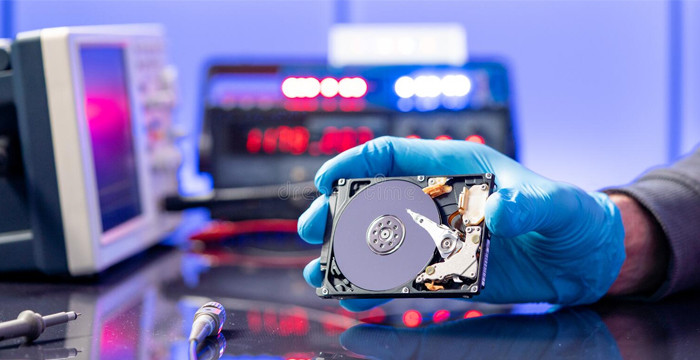
At some point in our lives, we have all experienced the sinking feeling that comes with accidentally deleting a file or...
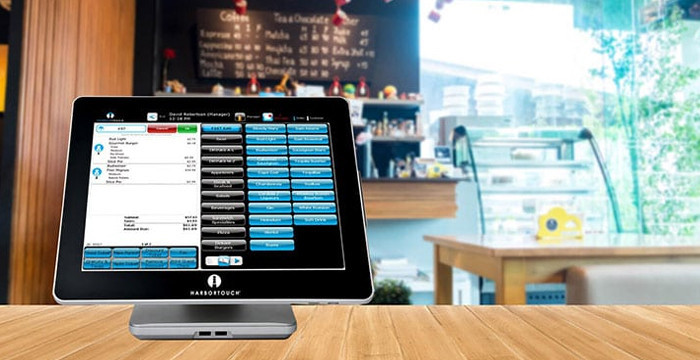
If you are looking for the best point of sale software, then this article is going to show you what you need to look at....