AnonyIG Review 2026: Does It Really Let You View Instagram Stories Anonymously?
AnonyIG is a free, browser-based tool that claims to let you view public Instagram Stories, Highlights, Reels, and posts...
The reason most people land on a tool like StoriesIG is one practical question: can I view or save someone’s public Instagram Story, Highlight or Reel without logging into Instagram and without my name showing up in their viewer list? That is the whole promise of an anonymous Instagram Story viewer, and StoriesIG is one of the oldest names in the space.
This review looks at what StoriesIG does, what it cannot do, how private it really is, and whether it is even reliably online in late 2026. I will keep the service’s own claims separate from what the wider evidence supports, and I will be clear about what I could not test.
StoriesIG is a browser-based tool for viewing and downloading public Instagram content without signing in. You open the site, type a public username, and it pulls that account’s active Stories, Highlights and Reels from Instagram’s public data, then gives you options to watch or download. No account, no login, and it only works on public profiles. Because requests route through its own servers rather than your device, the account owner’s viewer list will not include your name.
The difference from browsing Instagram normally is small but real: you never authenticate, so nothing of yours is tied to the view, and it adds a download step the app does not offer for other people’s content.
What it is not: it is not a Meta product, not a feed or messaging client, and not a route into private accounts. One naming point matters here. The “StoriesIG” name and close variants appear across several domains run by different operators, and the brand has also gone by StoriesDown. So “StoriesIG” is really a shared label more than a single website, which affects both reliability and trust.
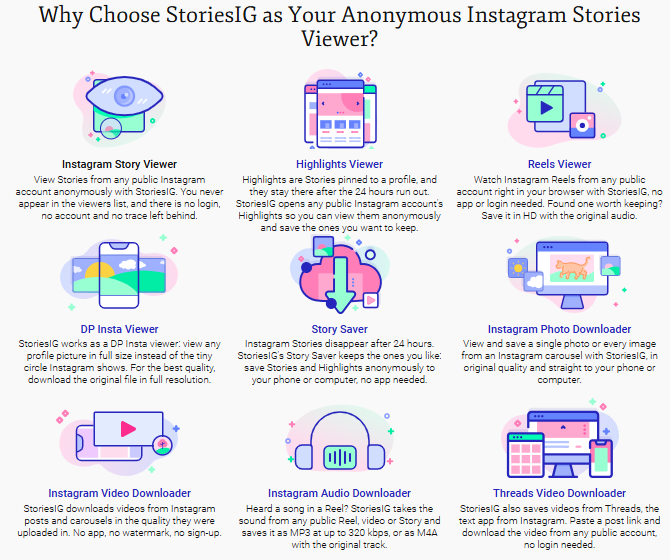
Here is each feature on its own merits, not as a homepage checklist.
Anonymous Story viewing. The core function. You watch active Stories from a public account without appearing in the viewer list. Useful for keeping an eye on a brand, a competitor, a public figure or an ex without the social signal of a view. Hard limit: public accounts only, and the Story must still be live.
Highlights. Highlights are Stories a user chose to keep on their profile, so they outlast the 24 hour window. Browsing or saving a specific Highlight is handy for research, like pulling a brand’s saved product Highlights for reference.
Reels. StoriesIG works as a Reels viewer for watching without an account. Reel downloads are commonly advertised but are the feature most likely to break when Instagram changes its systems, so treat them as “often works” rather than guaranteed.
Photos, videos and carousels. Saving a public post, including multi-image carousels, is useful for moodboards or reference files. This is also where copyright matters most, covered below.
Profile pictures. A minor convenience: opening a public profile picture at full size, which Instagram does not make easy in-app. Low stakes, occasionally handy.
Audio and Threads. Some viewers advertise pulling a Reel’s audio track or downloading Threads videos. I could not confirm either works on the current StoriesIG build, so I would file both under “claimed, unconfirmed” and verify before relying on them.
Browser access, no install. Everything runs in a normal mobile or desktop browser with nothing to install. That avoids the permissions and account-access risks the app-store story viewers often carry, and it is a genuine plus for a throwaway task.
The honest summary: viewing is the dependable part, and downloading is the “when it is working” part.
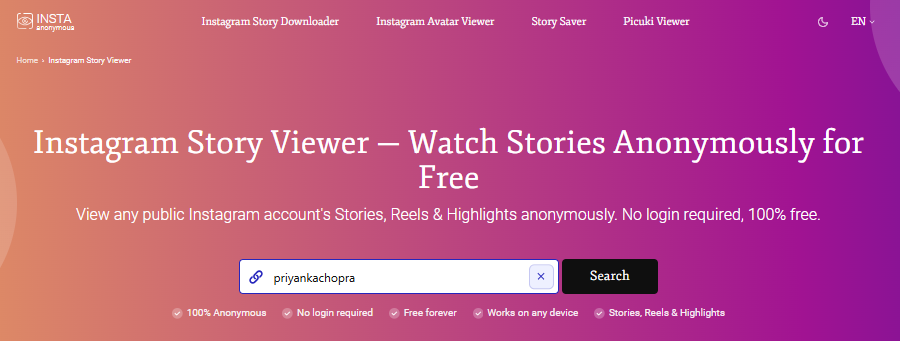
Assuming you are on an instance that is currently online, the flow is short:
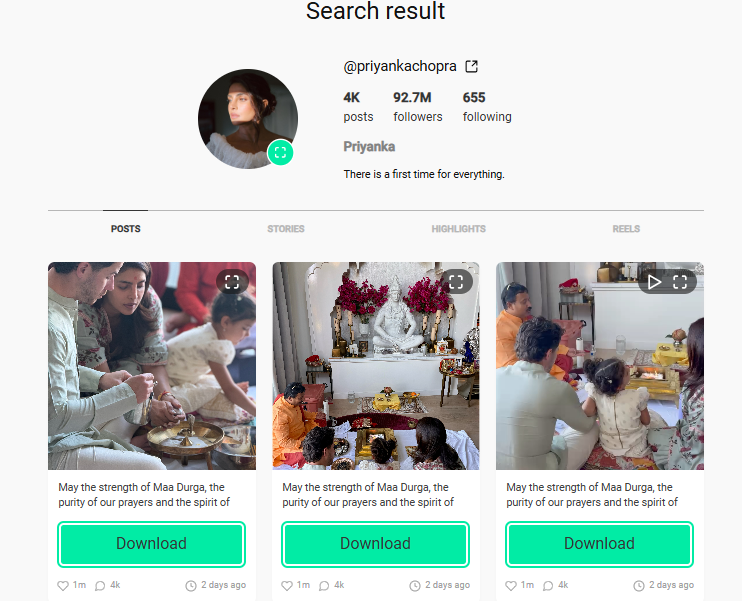
This is where I would push back on how these tools sell themselves, and where “it does not ask for your password, so it is safe” quietly does too much work.
Two separate questions hide inside “is it safe.” On account security, the picture is reasonable: a legitimate StoriesIG never touches your Instagram credentials, so your account is not what is at risk. If any version ever asks for your Instagram password, close it immediately.
On privacy, be clear-eyed. Not signing into Instagram makes you anonymous to the creator, not anonymous online. The tool, like any website, can see your IP address and set cookies in your browser, and most versions in this space do not publish a meaningful privacy policy, so what gets logged about your searches is unknowable. The real danger lives in the ads, where malvertising, redirects and survey gates sit, which is why an ad blocker is close to essential.
Before using any instance, I would check three things: whether a real privacy policy exists, whether the page is pushing you toward browser notifications or survey gates, and whether your ad blocker is on. I will not call StoriesIG “completely safe,” and I would not trust anyone who does. I also found no evidence of malware in StoriesIG itself and will not invent any. The fair framing is that it is low-risk to your account and a transparency black box for your browsing data.
Short version: viewing public content sits in a very different place from reusing it.
There is no legal expectation of privacy for content posted publicly, so quietly viewing a public Story is not the risky part. The complications start at reuse. The creator still owns the copyright to their photos and videos. Saving something for personal reference is one thing, but reposting it without permission, especially commercially, can infringe copyright and can also breach Instagram’s terms. These third-party tools generally operate against those terms, which is a platform matter rather than a criminal one, and laws differ by country, so this is general guidance and not a guarantee. If you plan to republish anything, get permission or rely on your jurisdiction’s rules.
Yes, there is no fee and no mandatory paid tier that I could find. The trade is blunt: you pay with your attention and browsing data, through ads and tracking, rather than money. I could not confirm pricing on the dead official domain, so I am describing the model as it has consistently appeared across StoriesIG’s history rather than a live price page.
Pros
Cons
All four options below work the same basic way. They view public accounts only, need no login, are free but run ads, and they go offline from time to time. The table shows where they differ.
| Tool | Login needed | Ads | Clear privacy policy | Good to know |
|---|---|---|---|---|
| AnonyIG (also called IgAnony) | No | Heavy | No | Fairly steady for Stories and Highlights, but the same data-transparency gap as StoriesIG |
| InstaNavigation | No | Heavy | No | Works when it is up, but ad-heavy and sometimes unreliable |
| InstaPV | No | Moderate | No | Fine as a backup; weaker Reel support in some tests |
| Anon IG Viewer | No | Lighter | No | Often described as cleaner and less cluttered with ads |
The idea is sound and the no-password design means it will not wreck your account. For an occasional peek at a public Story with an ad blocker on, I understand the appeal, and the browser-only, nothing-to-install approach is the right amount of friction for a one-off check.
But I cannot give it a clean recommendation, and the research is what forced that. The exact official address is showing “permanently unavailable,” the mirrors are a moving target with no support, and the privacy pitch is oversold. Hiding from the creator is not the same as being private online, and most versions lean on heavy ad networks with no stated data policy. “It does not take your password” is true, and it is not the same as “safe.”
So my feedback, plainly: if you are a casual user who understands the trade and you land on a mirror that is live and not asking for a login, StoriesIG is fine to try. If you want reliability, any private-account access, or real privacy, it is the wrong tool, and so is most of this category. Keep whatever you use disposable, keep a couple of alternatives bookmarked, and never enter your Instagram password into any of these sites.

AnonyIG is a free, browser-based tool that claims to let you view public Instagram Stories, Highlights, Reels, and posts...
IntroductionPeople search “Insta PV,” sometimes written InstaPV, because they want to see someone’s public Instagram sto...
People come to InSnoop to do one thing that is to watch a public Instagram Story without opening it from their own accou...

Best AI Spreadsheet Tools at a GlanceToolBest ForWorks InStandout AI FeatureStarting PriceMicrosoft Excel with CopilotPe...