Step-by-Step Guide To Become A Data Scientist From Scratch
Understanding the Role of a Data ScientistBefore embarking on your data science journey, it's essential to understand th...
Nobody subscribes to a podcast because the audio was mastered well.
They subscribe because you said something worth hearing.
So before we talk tools, hear me out. The tool does not make the show. You make the show.
That said, I have hosted my own interview show for a few years now, and the amount of grunt work that used to sit between “I finished recording” and “the episode is live” was brutal. Cutting filler words by hand. Chasing down background hum. Writing show notes at midnight. Trying to turn one conversation into a week of social clips.
AI quietly ate almost all of that busywork. The market is huge now, with an estimated 619 million podcast listeners in 2026 and a global market worth over $39 billion, and the tooling finally caught up to the hype.
These are the eight tools I actually keep in rotation for recording and editing, in roughly the order I touch them while making an episode. I have paid for most of them with my own money, so these are opinions, not press releases.
Riverside is my recording command center, full stop.
Almost all of my interviews are remote, and the old way (record over a video call and pray the connection holds) ruined more good conversations than I want to admit. Riverside records each person locally in high quality and syncs it afterward, so a guest’s wifi dropping out no longer nukes the audio.
What moved it from “nice” to “essential” for me is that the AI features are baked right in. I hit record, and when we are done I get a transcript, and I can send the recording straight into their editor to clean it up. Their clip tool finds the punchy moments and cuts vertical videos for me, which is most of my LinkedIn posting workload gone in one click.
One heads up. Riverside moved to riverside.com and reshuffled its plans, so a lot of older guides are now wrong.
Price
Rating: 4.8 out of 5
Zencastr is the one I point broke beginners toward, and I mean that as a compliment.
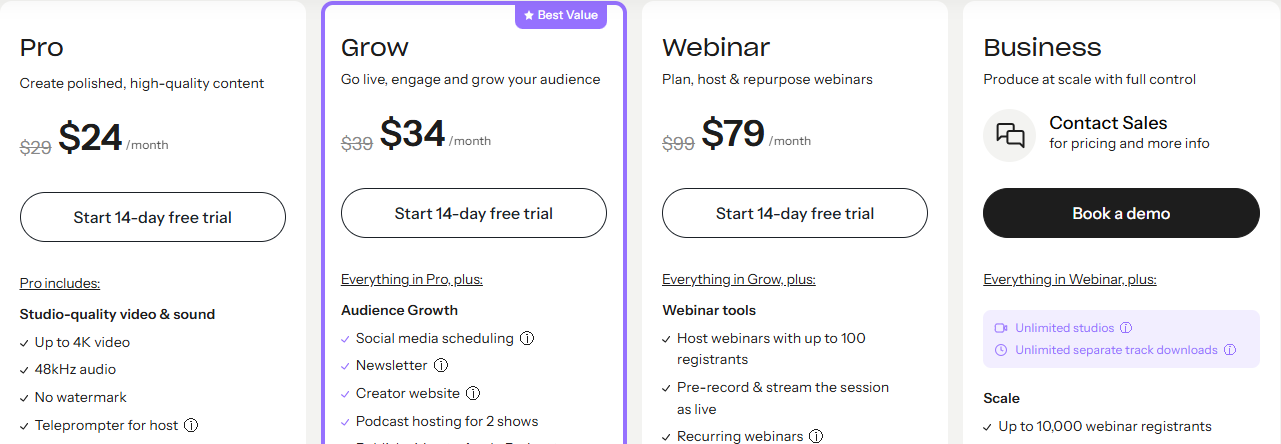
When a friend asks me how to start without spending anything, this is my answer. It records each guest on a separate track in the browser, which is the single most important thing for clean editing later, and its free plan lists unlimited separate-track recording and 4K video.
I have used it as a backup recorder on days I wanted a second safety net running, and it never let me down. The paid step up is reasonable too, with the Professional tier around $20 a month for higher-quality export and more AI tooling.
If quality of the raw recording is your only priority and your budget is zero, start here and thank me later.
Price
Rating: 4.4 out of 5
Podcastle is the Swiss Army knife, and it recently rebranded, so do not get confused when you land on a different domain.
Podcastle now lives at async.com, and the pitch is simple. Recording, AI voices, a browser editor, enhancement, and dubbing all sit under one login at a price that undercuts most of the field. When I was first figuring out my workflow and did not want five separate subscriptions, this is the kind of tool that would have saved me a lot of tab switching.
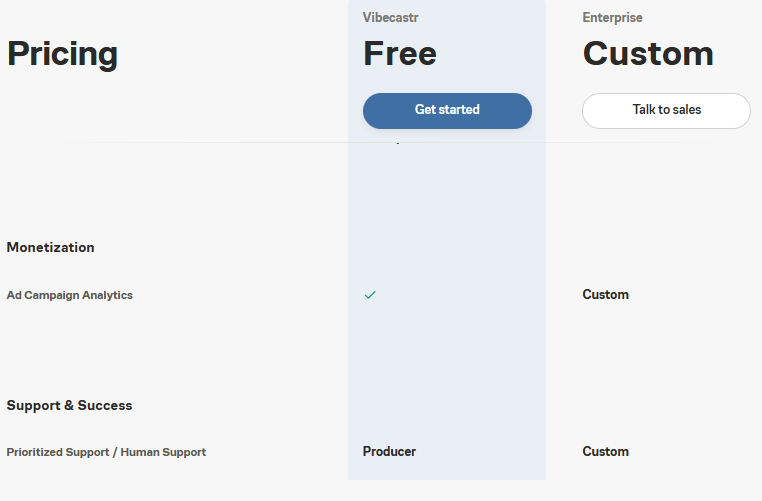
The free plan gives you three hours of video recording, an hour of transcription, and 720p export, which is enough to decide if you like it. Paid access lands around $12 a month, and that single number buying you recording plus editing plus AI voice is genuinely hard to beat for a solo creator on a tight budget.
It is the best “I want one tool that does the whole thing” option on this list.
Price
Rating: 4.5 out of 5
Descript is where I live during editing, and it is the tool I would fight to keep if you took the rest away.
The core idea still feels like a magic trick years later. It transcribes your recording, and then you edit the audio and video by editing the text, like you are tidying up a document. Delete a sentence in the transcript, and that sentence vanishes from the recording. For someone who is not a trained audio engineer, which is me, this changed everything.
I use it to strip out my own filler words so I sound sharper than I actually am in the room. I use it to yank clips for social. The AI cleanup makes a decent home recording sound like it came from a treated studio.
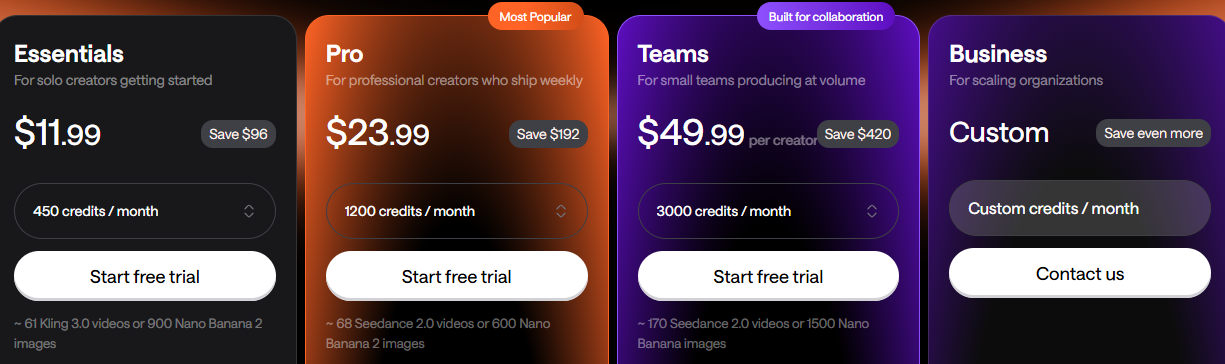
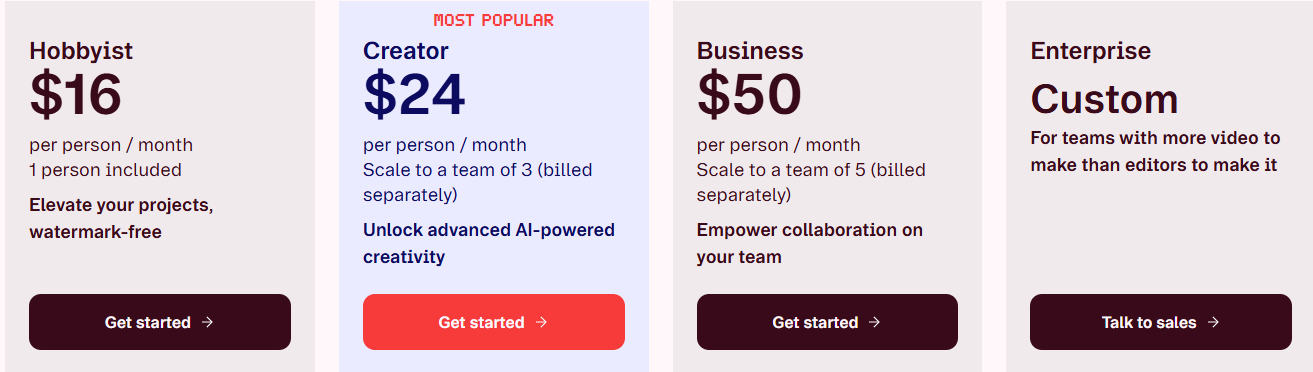
Pricing is friendly. The full AI assistant and the best sound cleanup unlock on the Creator tier, which is the one most serious hosts will want.
If you only buy one tool off this entire list, buy this one.
Price
Rating: 4.6 out of 5
Adobe Podcast is the closest thing to free magic I have ever run audio through.
The Enhance Speech feature is the party trick. You feed it a recording that sounds like it was captured in a bathroom, and it hands back something that sounds like a microphone worth hundreds of dollars. I have rescued guest audio with it more times than I can count, and I still do not fully understand how it works.
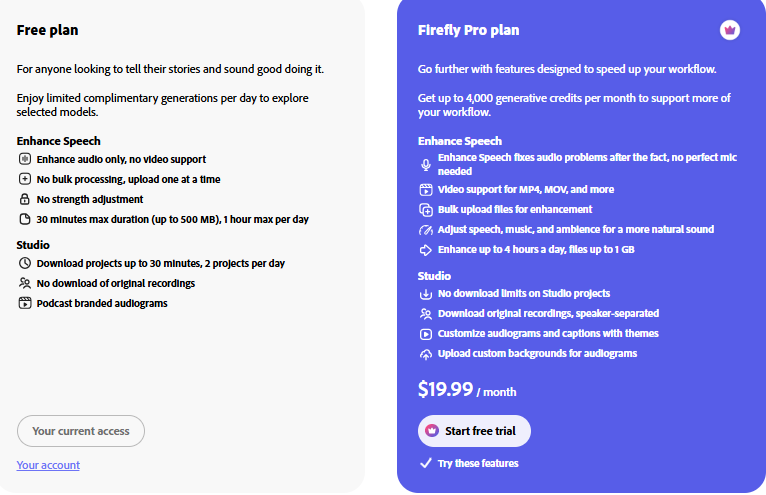
The best part for anyone starting out is the price. There is a free plan, and the Premium tier is only $5 a month, which barely registers next to everything else here.
I do not edit a full episode inside Adobe Podcast. I use it as a surgical cleanup pass, usually on one messy track, and then move on. For that single job it has no real rival.
Price
Rating: 4.0 out of 5
Cleanvoice does the one tedious thing I never want to do myself, and it does it better than anything else.
This tool hunts down the verbal clutter. The ums, the uhs, the likes, the mouth clicks, the breaths, and the long dead-air pauses. I talk with a lot of filler, so running an episode through Cleanvoice before my final edit shaves real minutes off the runtime and makes me sound far more composed.
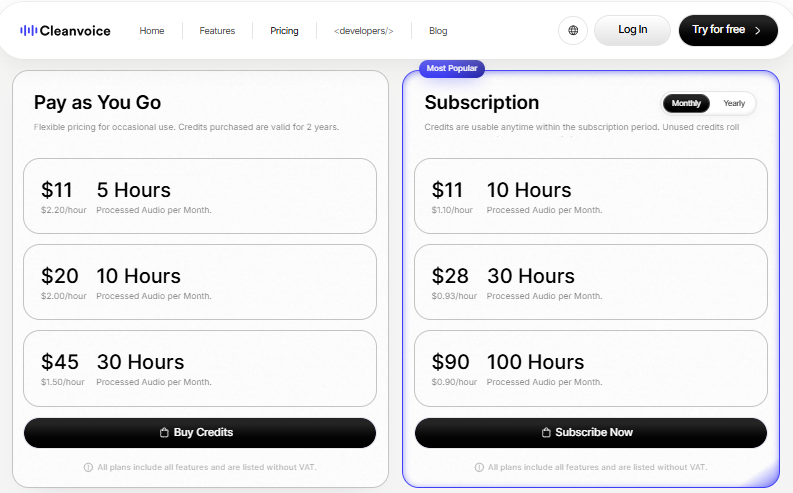
It is specialist, not an all-rounder, and the pricing reflects that. There is a free 30-minute trial, then it runs on hours of processed audio, with Pro at $9 a month for 3 hours, Premium at $19 for 8 hours, and Studio at $49 for 24 hours.
If you publish a daily or long-form show, keep an eye on the hourly math, because you can burn through a plan fast. For a weekly show it is close to perfect.
Price
Rating: 4.3 out of 5
Auphonic is the tool my audio-nerd friends told me to use, and for once I listened.
I am not a mastering engineer and I never will be. Auphonic does that part for me. It balances the loudness across an episode, evens out the gap between a quiet guest and a loud one, ducks the music under the voices, and hits the exact loudness targets that podcast platforms quietly expect. I drop a finished file in, and a polished, broadcast-ready one comes back out.
The nicest touch is the automation. You can set up watch folders so files get processed and routed the moment you drop them in, which matters a lot if you publish on a schedule.
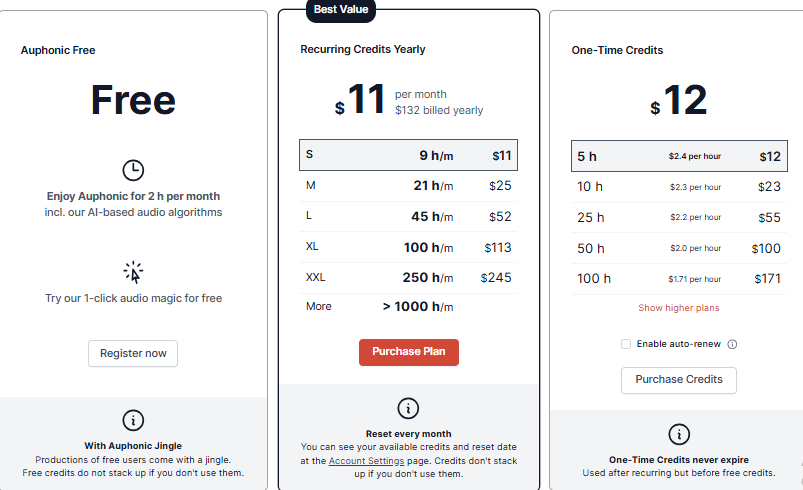
It is free for 2 hours a month, then runs on credits, with a Starter plan at $11 a month for 9 hours, Standard at $22 for 21 hours, and Advanced at $99 for larger volumes.
Think of it as the final coat of polish, not a rescue tool. It makes a good recording sound professional.
Price
Rating: 4.4 out of 5
Castmagic is the tool that handles everything after the conversation is in the can, and it is where I get the most leverage per minute of effort.
To be clear, Castmagic does not record anything. That is not what it is for. You feed it a finished episode and it spits out the mountain of supporting content that used to eat my evenings. Show notes. Timestamps. Title ideas. A rough blog post. A stack of social posts and pull quotes.
The honest truth is that some of the social copy it drafts is better than what I would have written tired at the end of a long day. I still edit it in my own voice, but starting from its draft instead of a blank page is a different life.
The entry Hobby plan sits around $21 a month. Most people I know pair it with a recorder, so the practical setup is record in Riverside, then repurpose in Castmagic.
It is the best “turn one episode into a week of content” tool I have used.
Price
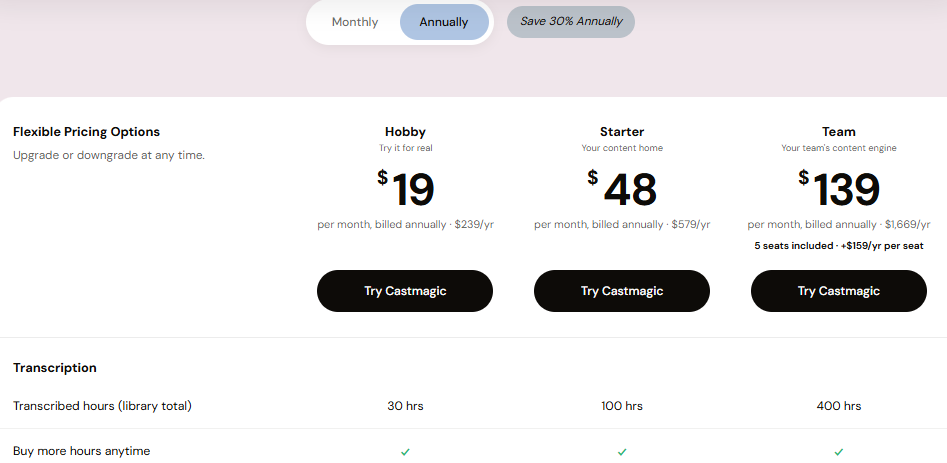
Rating: 4.6 out of 5
You do not need all eight. Nobody does.
Here is the honest shape of my own workflow. I record in Riverside, clean up any rough tracks with a quick pass through Adobe Podcast, edit the whole thing by editing text in Descript, run it through Cleanvoice to kill the filler, master it in Auphonic so the loudness is right, and then hand the finished file to Castmagic to produce all the social content.
If that sounds like a lot, it is not, because every one of those steps used to be manual and now most of them are close to automatic.
And if you are just starting and want to spend nothing, you can go surprisingly far on free tiers alone. Record in Zencastr, clean up in Adobe Podcast, and let Descript’s free plan handle a short edit. That stack costs zero dollars and still sounds good.
| # | Tool | Best For | Key AI Features | Rating |
|---|---|---|---|---|
| 1 | Riverside | Remote interview recording | Local track recording, auto transcripts, clip generation | 4.8 |
| 2 | Zencastr | Free multitrack recording | Separate-track capture, 4K video, AI tools | 4.4 |
| 3 | Podcastle (now Async) | All-in-one studio | Recording, AI voices, browser editor, dubbing | 4.5 |
| 4 | Descript | Text-based editing | Edit audio by editing text, filler removal, AI cleanup | 4.6 |
| 5 | Adobe Podcast | Audio cleanup | Enhance Speech, noise removal, studio-quality polish | 4.0 |
| 6 | Cleanvoice | Filler and mouth-sound removal | Cuts ums, mouth clicks, breaths, dead air | 4.3 |
| 7 | Auphonic | Mastering and loudness | Loudness normalization, multi-speaker leveling, batch processing | 4.4 |
| 8 | Castmagic | Content repurposing | Show notes, timestamps, titles, social posts, blog drafts | 4.6 |
AI did not make podcasting easy. It made it faster.
The interesting part is still on you. The question you ask, the story you tell, the guest you chase down. No tool on this list writes that for you, and you would not want it to.
But everything that sits between a great conversation and a published episode, the cleanup, the cutting, the leveling, the repurposing, is now the part a machine can carry. Pick two or three of these, build a workflow you can repeat without thinking, and spend the time you save on making the show worth hearing.

Understanding the Role of a Data ScientistBefore embarking on your data science journey, it's essential to understand th...
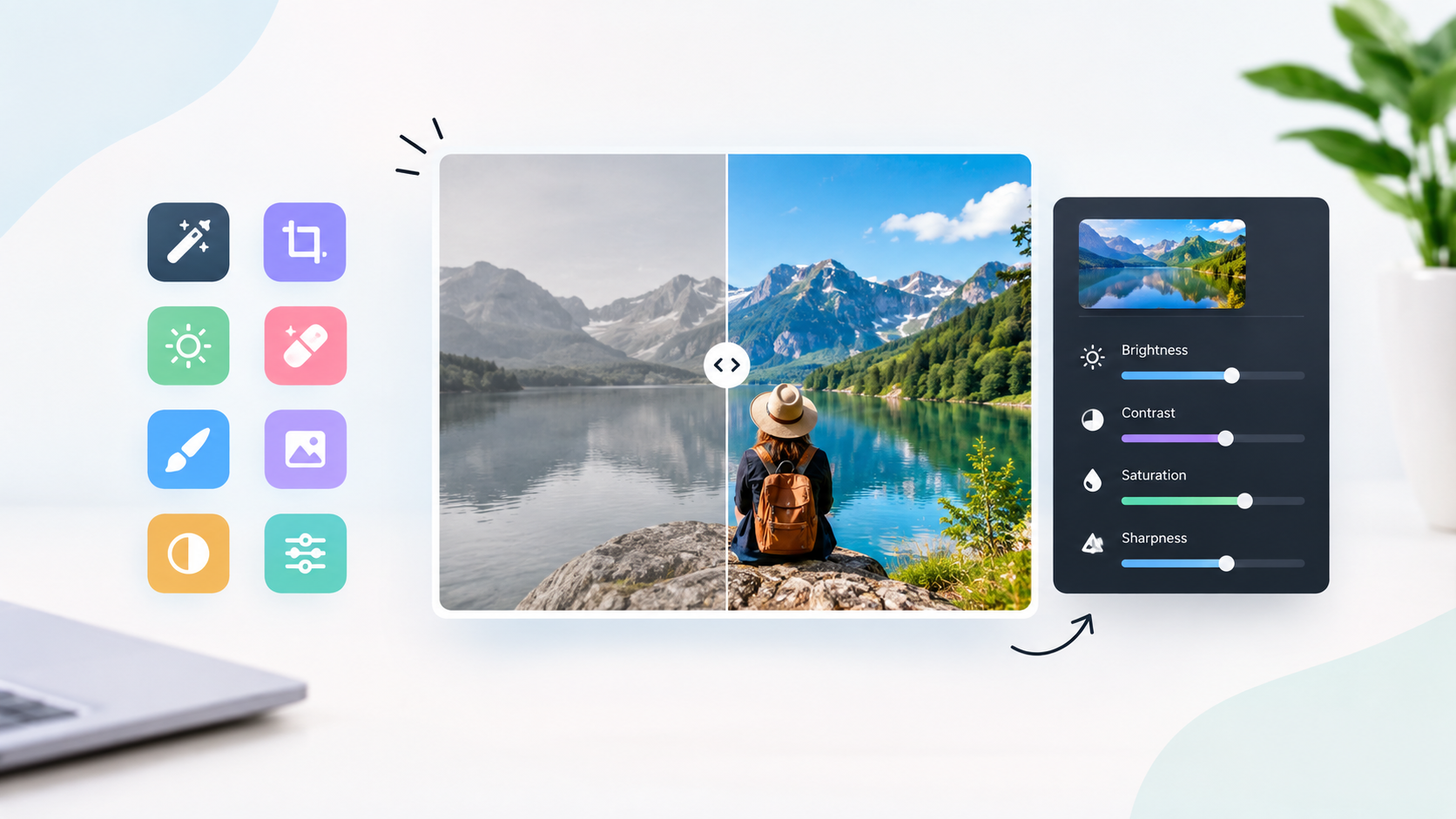
I edit a lot of photos. Some of it is work (product shots for a small online store I help run, images for blog posts and...
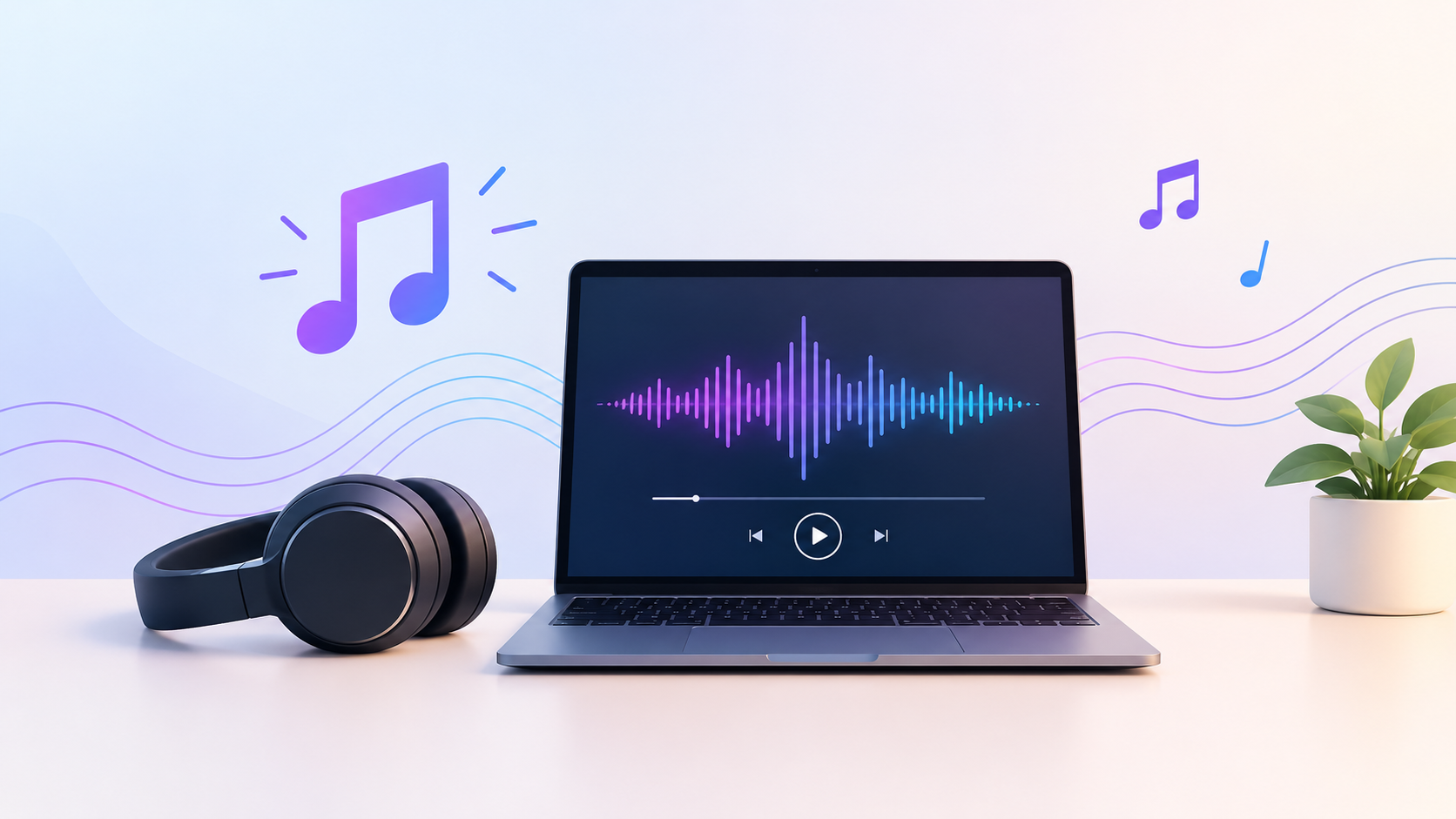
The fastest way to turn a lyric or an idea into a finished, original song in 2026 is an AI music generator, and after we...
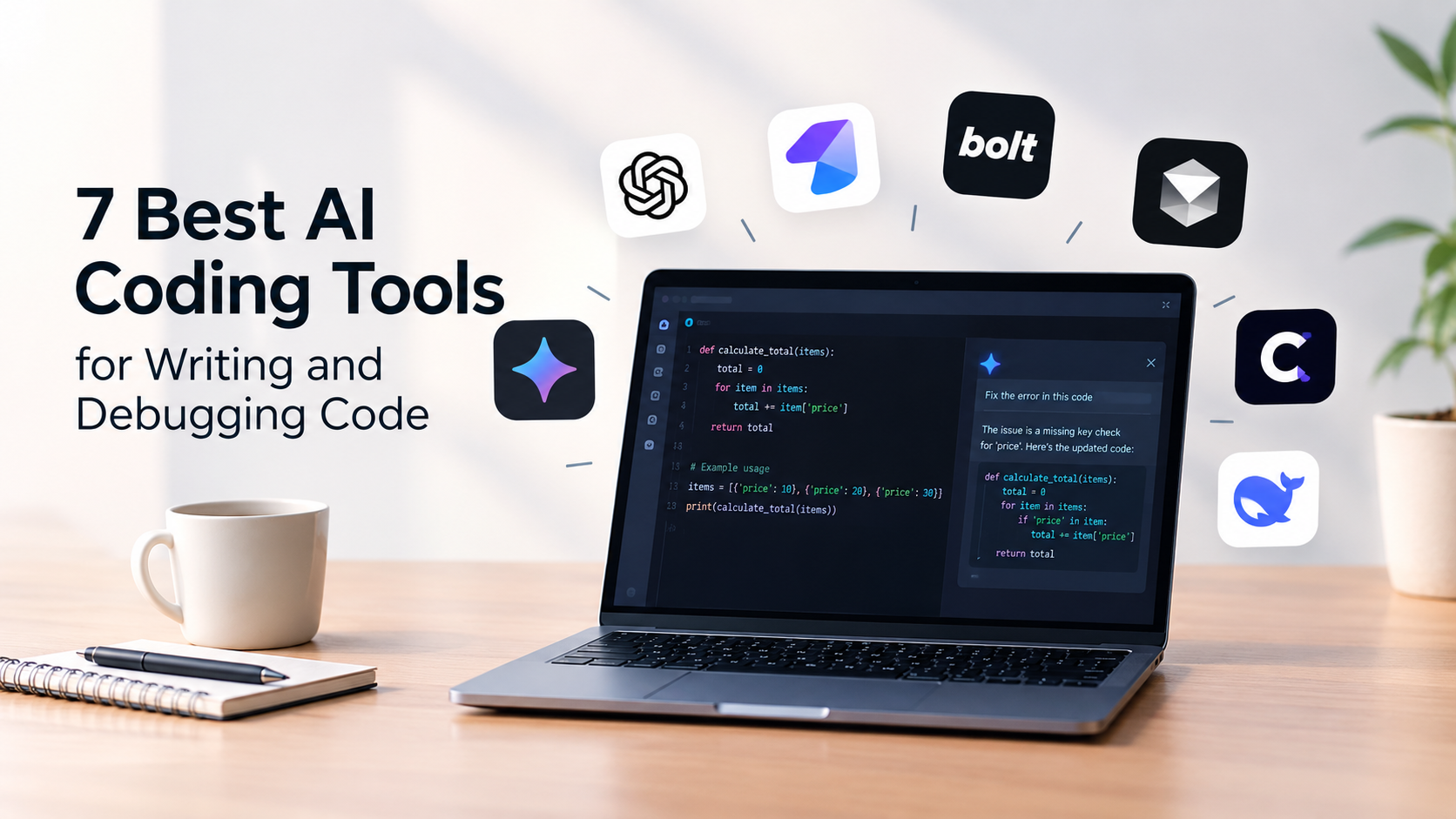
I've lost count of how many AI coding tools I've installed this year. Most of them can write a clean function from a one...