
Best AI Headshot Generators for Profile Photos
A profile photo is often the first impression you make on a recruiter, a client, or a new connection. AI headshot genera...
My inbox this morning was 213 unread. Two are clients who need an answer today. One is a contract waiting on a yes or no. The rest is newsletters I keep not reading, receipts, three calendar invites, a thread that grew to 40 replies over the weekend, and a follow-up I promised last Tuesday and never sent. The hard part was never typing. It is the ten minutes I spend every morning deciding what to even open.
That is the job an AI email assistant should do, and most get it wrong by focusing on writing. Writing was never the bottleneck. Knowing which five of 213 messages matter, and remembering the reply I owe, is. This guide covers which tools do that well, which only pretend to, and which are built for a different problem. Pricing and features were checked in late October 2026. This category reprices constantly, so confirm any number on the vendor's own page before you pay.
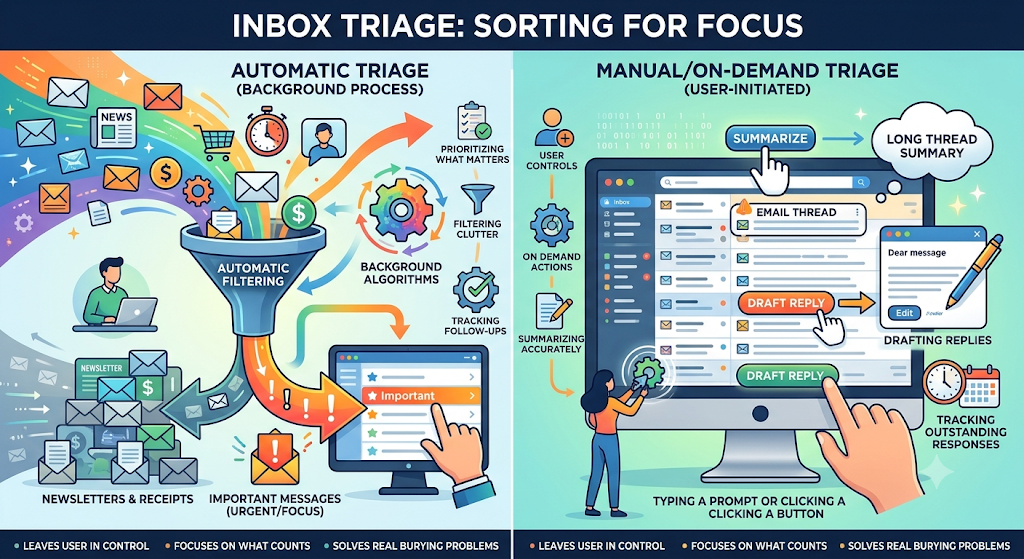
Triage means sorting by urgency so the important things get handled first. In an inbox that breaks into separate jobs: prioritizing what matters, filtering out newsletters and receipts, summarizing long threads, drafting replies, and tracking the messages you owe or are waiting on. No tool is good at all of them.
The split that decides everything is automatic versus manual. Some tools sort your inbox in the background before you open it. Others only act when you type a prompt or click a button. A tool that writes a perfect reply on demand does nothing for the person whose real problem is that 300 messages a day bury the five that count. I judged these on that basis: does it surface what matters, sort clutter without hand-built rules, track follow-ups, summarize accurately, and leave me in control of anything that touches a real person.
Prices are approximate, per user per month unless noted, and current as of late October 2026.
| Tool | Best for | Email services | Triage | Auto vs manual | The catch | Approx. price
|
|---|---|---|---|---|---|---|
| SaneBox | Automatic sorting without changing clients | Gmail, Outlook, iCloud, Yahoo, Fastmail, any IMAP | Strong | Mostly automatic | No real AI writing, needs weeks to learn, tier-gated features | About $7 to $36, trial only |
| Inbox Zero | Open-source triage plus follow-up tracking | Gmail, Workspace, Outlook, Microsoft 365 | Strong | Automatic rules plus review | Self-hosting is technical, hosted AI is paid | Client free, AI about $18 to $20, free self-hosted |
| Fyxer AI | Sorting plus voice-matched drafting plus notes | Gmail, Outlook only | Good | Sorting automatic, you send drafts | Gmail and Outlook only, per-seat cost climbs | Starter about $30, Pro about $50 |
| Superhuman | Fast manual triage in a premium client | Gmail, Outlook accounts | Good | Labels automatic, most AI waits for you | Best AI is Business-only, now inside a Grammarly suite | Starter about $30, Business about $40 |
| Gemini in Gmail | Existing Gmail and Workspace users | Google accounts only | Partial | Mostly on demand | Google only, proactive features beta and tier-gated | Included in paid Workspace (from about $7); personal advanced about $19.99 |
| Copilot in Outlook | Microsoft 365 users | Outlook and Microsoft 365 | Partial | Mostly on demand | Full Copilot is a paid add-on | Chat free on eligible M365; full add-on about $18 to $30 |
| Shortwave | Gmail power users who want deep AI and search | Gmail and Workspace only | Moderate | Organizes automatically, triage leans on you | Gmail only, prices rose in 2026 | Free tier; about $30 to $120 |
| Lindy | Building custom automated email workflows | Gmail, Outlook, 100+ integrations | Strong but do-it-yourself | Configurable, can run autonomously | Most setup, credit usage hard to forecast | About $49.99 to $199.99 |
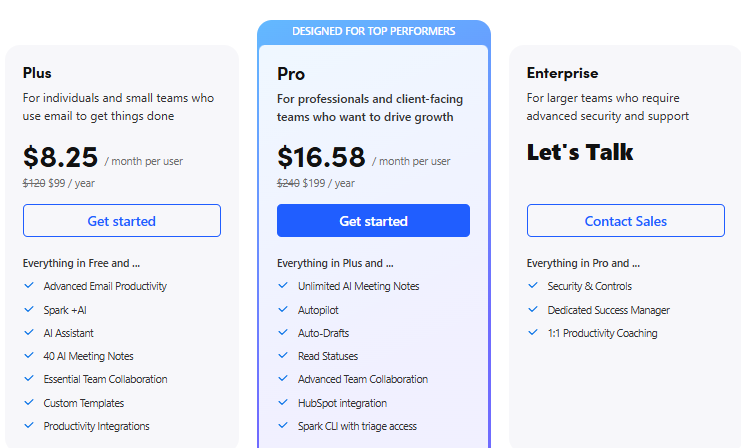
| Spark Mail | Tidy cross-platform client with category sorting | Gmail, Outlook, iCloud, any IMAP | Weak as true triage | Category sorting automatic | No real importance-based triage | Free tier; paid from about $5 annual |
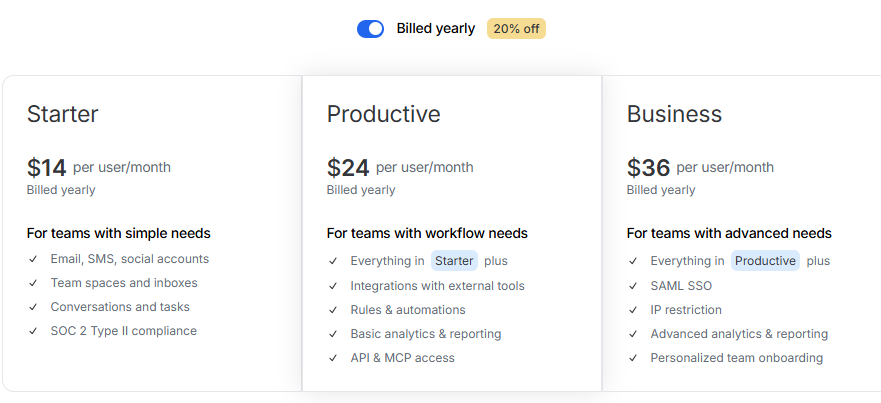
| Missive | Teams sharing one address | Gmail, Outlook, iCloud, IMAP, SMS, social | Team triage | Rules automatic, drafting collaborative | Built for teams, best AI is add-on | Free (3 users); $14, $24, $36, AI extra |
SaneBox sits on top of your existing inbox, reads metadata and your behavior rather than message content, and files low-priority mail into folders like SaneLater, with a Daily Digest showing what it moved. It snoozes, and now drops a suggested reply into Drafts for mail that needs one, sending nothing itself. It works with Gmail, Outlook, iCloud, Yahoo, Fastmail, and any IMAP or Exchange account.
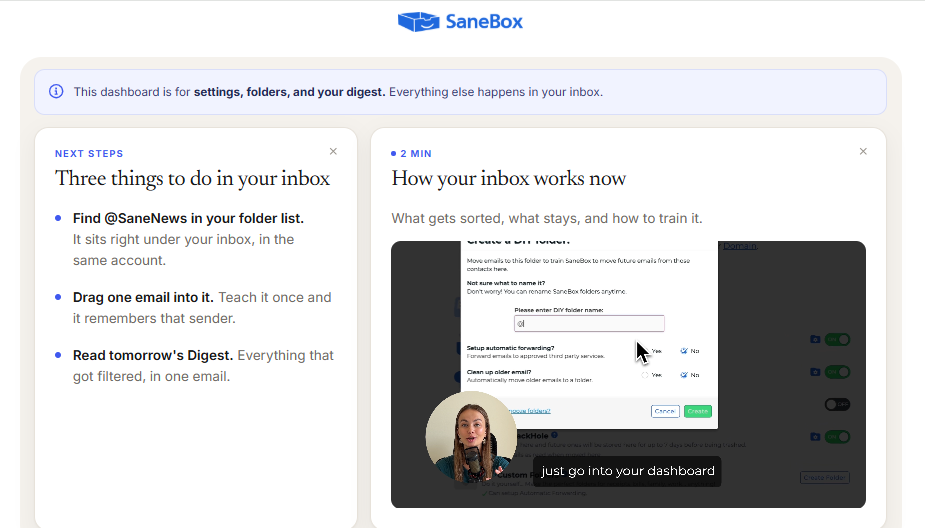
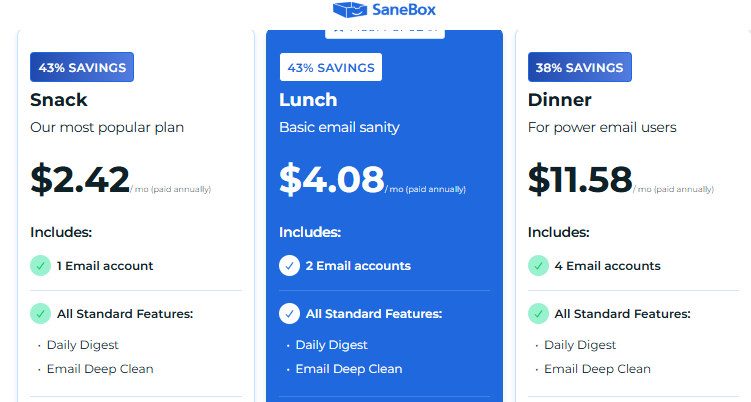
The appeal is focus: it clears noise and leaves writing alone, where everything else wants to draft for you. The trade-offs are no real AI composition, a week or two of training before it stops misfiling the occasional important message, and cheaper tiers that lock features to push you up a plan. Pricing runs roughly $7 to $36 a month across Snack, Lunch, and Dinner, trial only, no free tier. If volume is your whole problem and you will not switch clients, it is the cheapest route into automatic triage.
Pricing
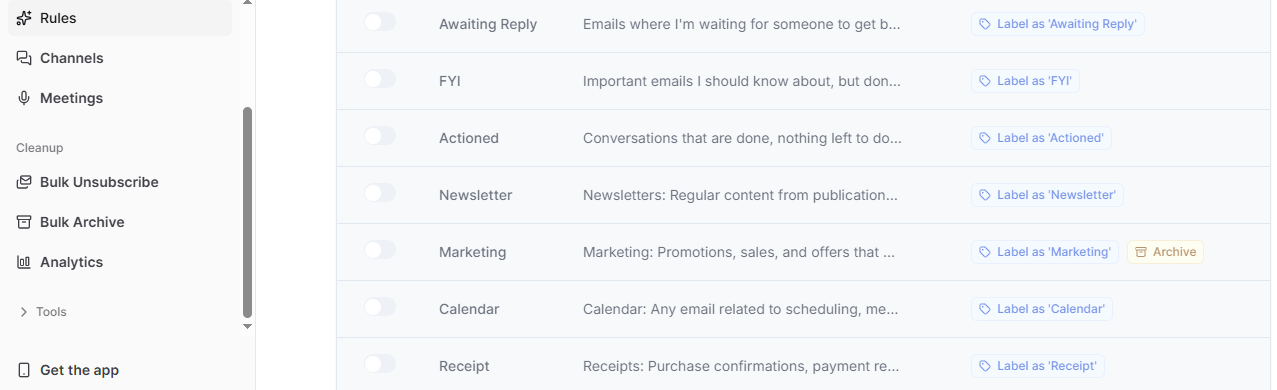
Inbox Zero is open source and connects to Gmail, Google Workspace, Outlook, and Microsoft 365. It organizes your inbox, pre-drafts replies in your tone, takes plain-English handling rules instead of filters, and its Reply Zero feature tracks both the mail you owe and what you are waiting on, which most tools ignore. It also blocks cold email, bulk-unsubscribes, and has its own free client for web, Mac, Windows, and phone.
Being open source means you can read how it handles your mail or self-host so email never leaves your machines, which no other major tool here offers. The catch: self-hosting is technical, and the convenient hosted AI is a paid layer, around $18 to $20 a seat, free if you run it yourself. For a technically comfortable user who wants follow-up tracking and transparency, it is my favorite on the list.
Pricing
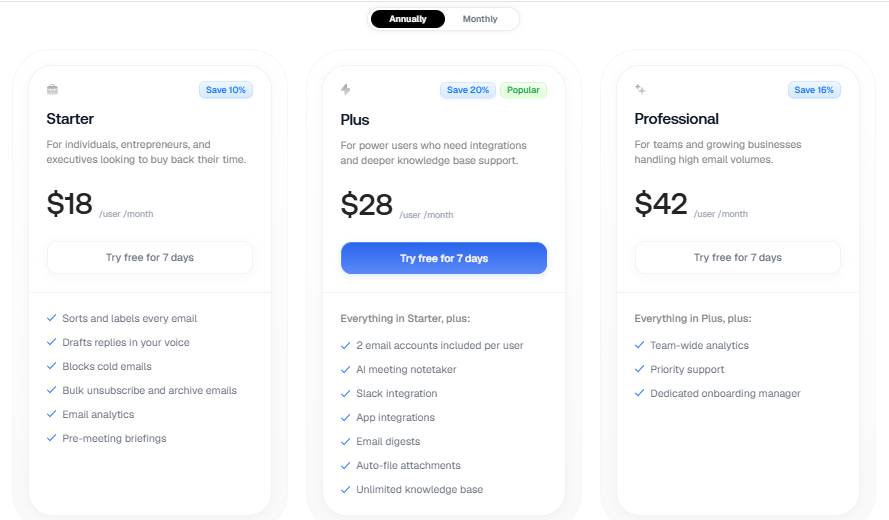
Fyxer connects to Gmail or Outlook in about two minutes and works inside your existing inbox. It sorts incoming mail into fixed buckets, To Respond, FYI, and Marketing, drafts replies trained on your sent mail so they sound like you, and takes meeting notes. You review and send every draft, and it never sends on its own.
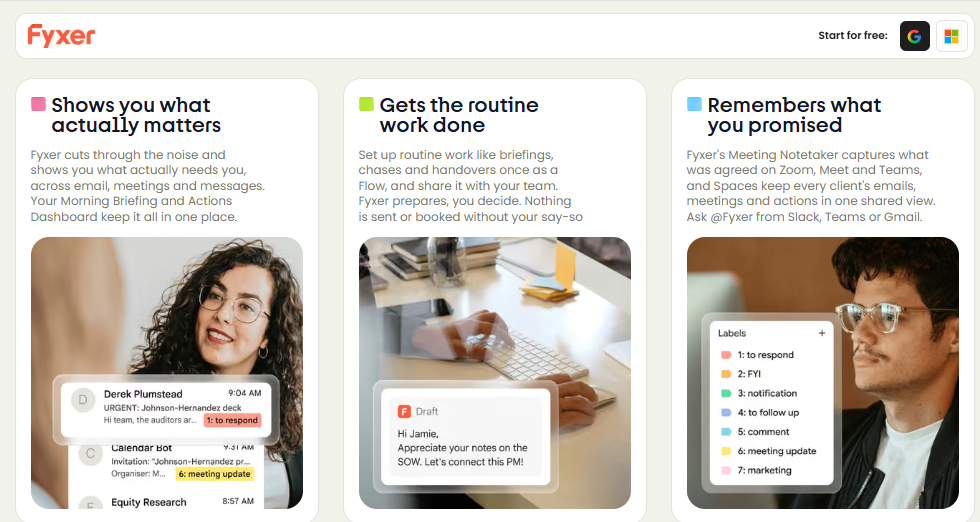
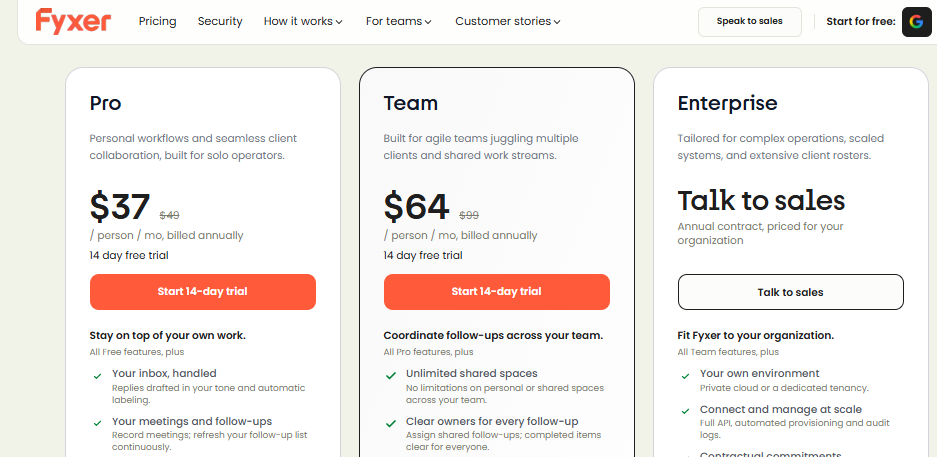
What sets it apart is the bundle of sorting, voice-matched drafting, and notes in one subscription. The limits are Gmail and Outlook only, fixed categories you cannot reshape, and per-seat pricing that climbs for teams, roughly $30 a seat for Starter and $50 for Professional with a short trial. A strong all-rounder for a Gmail or Outlook user who wants sorting and drafting in one place, though it costs more than the native tools you may already pay for.
Pricing
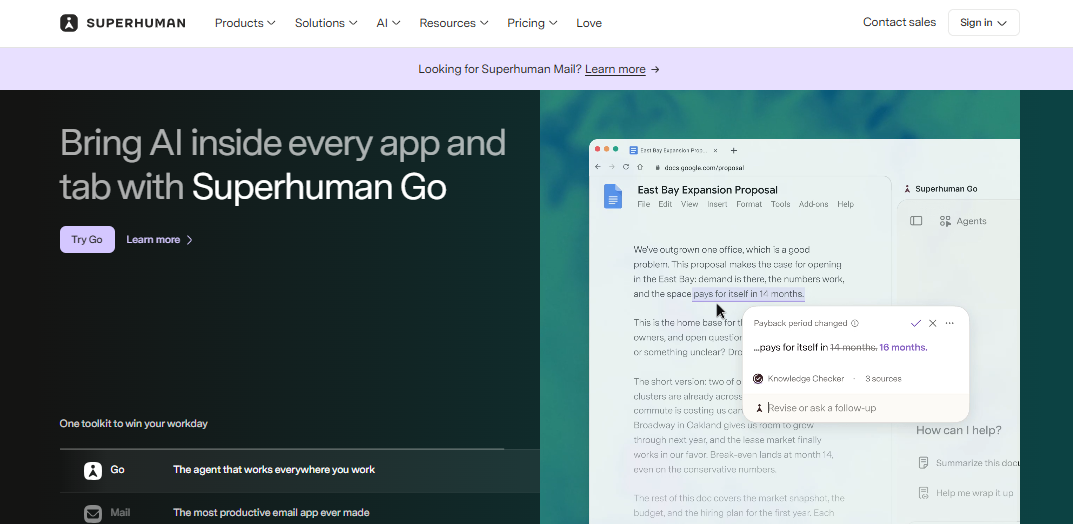
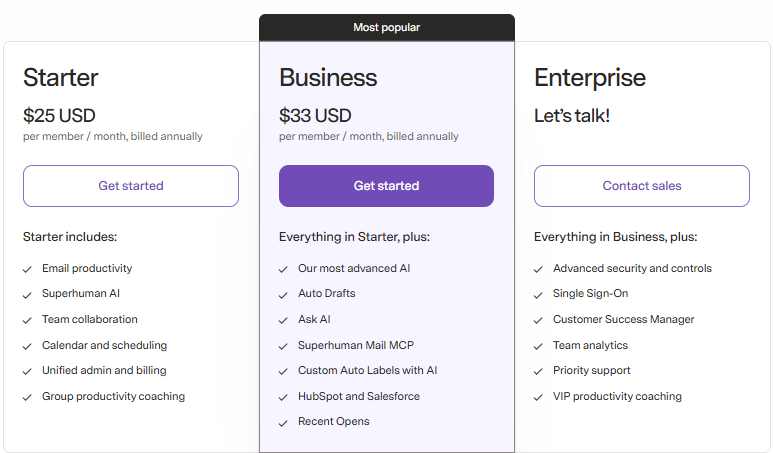
Superhuman is the fast one, a keyboard-first client for Gmail and Outlook now owned by Grammarly, which bought it in July 2025 and then renamed itself Superhuman that October, folding the app into a suite with Grammarly, Coda, and an assistant called Go. Its AI auto-labels mail, summarizes threads, answers questions about your inbox through Ask AI, and drafts replies in your voice, and a connector from April 2026 lets Claude or ChatGPT work through it.
Speed is the whole pitch and it delivers, with every action a keystroke. The problems are money and shape: the strongest AI is Business-only, email access for new users is tied to that bundled suite, there is no free email tier, and nothing runs in the background, so drafts wait for you. Starter is about 30amonth(25 annual), Business about 40(33 annual). Worth it if you live in email and want raw speed, less so if your problem is deciding what to read.
Pricing
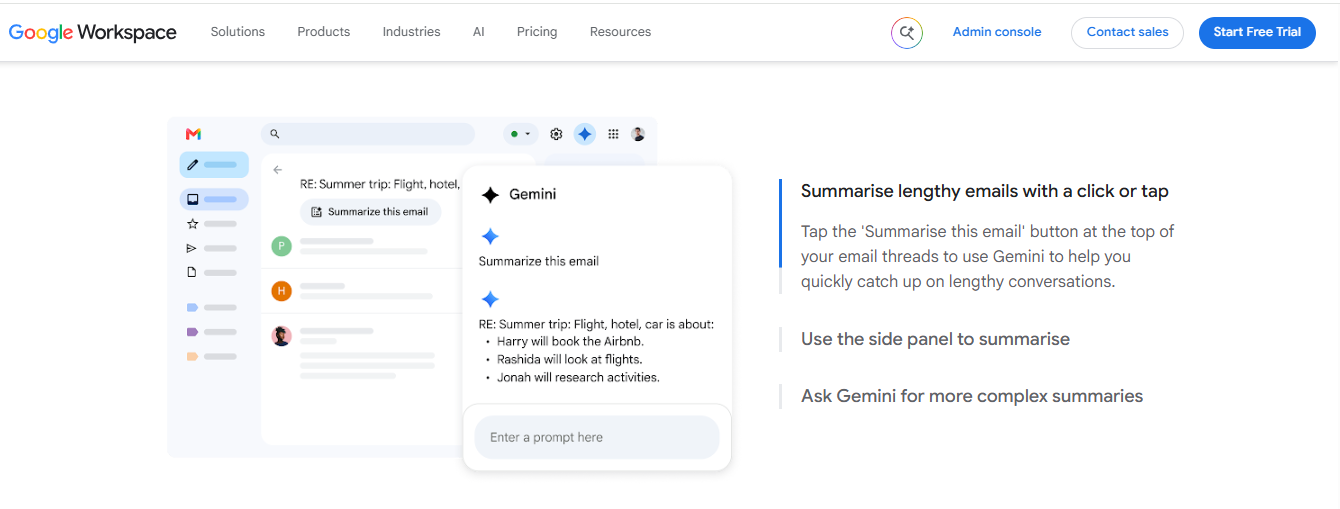
If you are on Gmail, start here before paying for anything. Gemini is built into Gmail now and, on request, summarizes threads, drafts and refines messages, deletes or labels, finds details like a flight time, and proposes meeting slots from your calendar. Its proactive layer, the AI Inbox, prioritizes mail, suggests to-dos, and sends a daily briefing, though that piece is newer, limited, and tied to higher tiers.
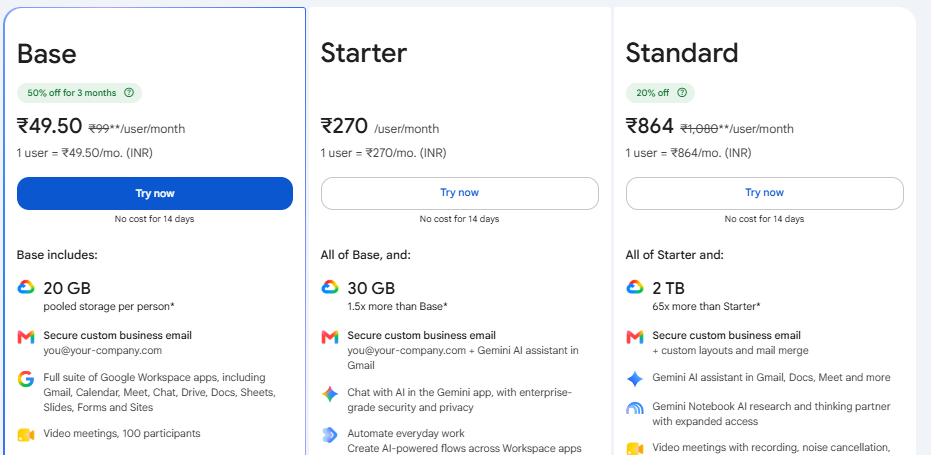
The advantage is context across Calendar, Drive, and Docs, at no extra cost on a paid Workspace plan, with Business Starter around $7 a seat and personal advanced features needing Google AI Pro at about $19.99. The limits are Google accounts only and mostly on-demand triage. Google states personal Gmail content is not used to train its foundational Gemini models, which is worth confirming for your account type. How far the proactive triage reaches depends entirely on which tier unlocks the AI Inbox for you.
Pricing
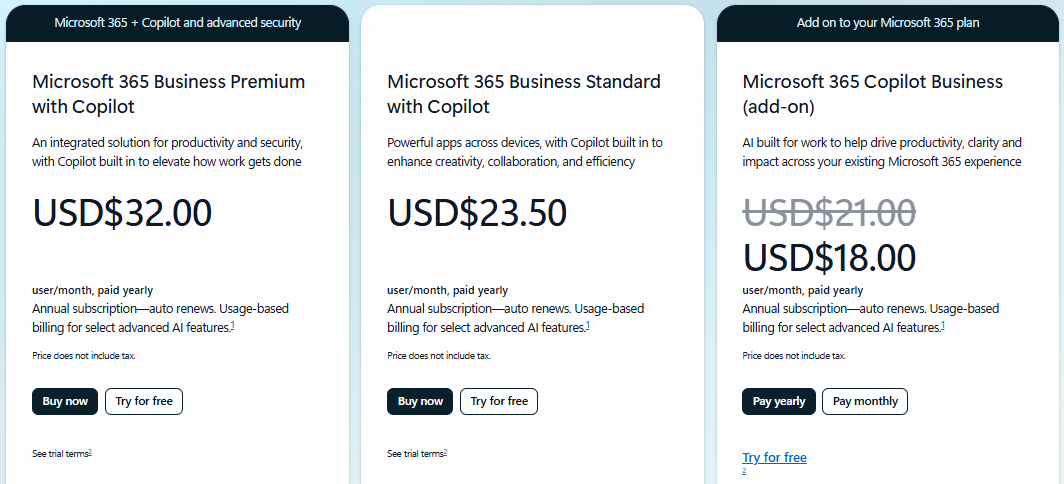
The Microsoft equivalent. Copilot inside Outlook summarizes threads, drafts and rewrites replies, catches you up on what you missed, searches your mailbox in plain language, coaches tone, and schedules, and on newer plans it marks mail high or low priority based on your role and manager. Every output waits for your review.
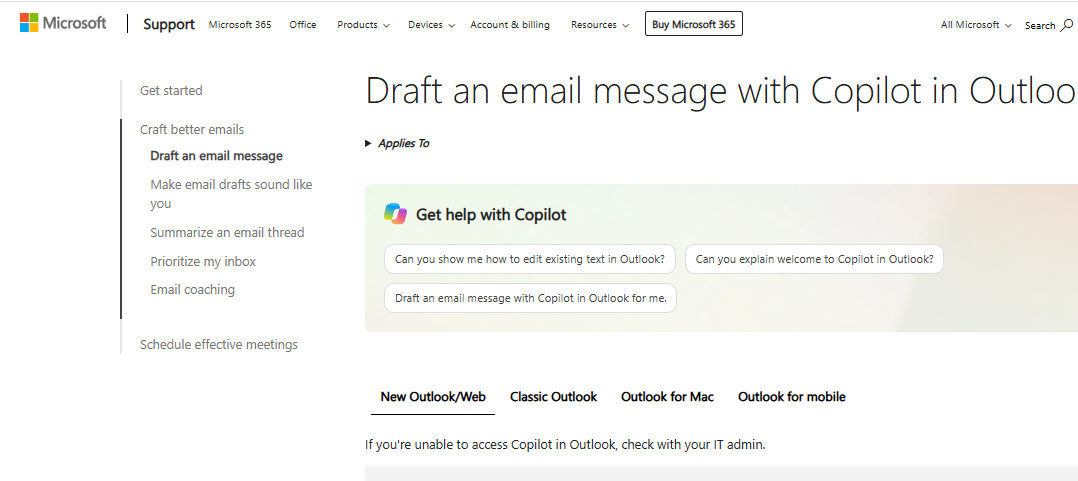
For anyone in Microsoft 365 it is the obvious default, because it draws on your documents, calendar, and Teams context. The catches: most of it is prompt-driven rather than working ahead of you, and the real power needs a paid Copilot license on top of your base plan. Copilot Chat is free on eligible business plans and bundled into Microsoft 365 Personal and Family. Full Microsoft 365 Copilot is an add-on, roughly $18 to $30 a seat depending on the plan. Budget for the add-on if you want the real thing, and expect to drive it with prompts.
Pricing
Shortwave is the most AI-forward client for Gmail, built by former Google Inbox engineers. It bundles related mail, splits the inbox, summarizes threads, drafts in your voice with Ghostwriter, searches your whole mailbox in natural language, and runs an assistant that handles multi-step tasks and queues drafts for approval, with hooks into Slack, Notion, Asana, and HubSpot.
The search and assistant are the reason to look, reasoning across your history in a way native Gmail does not. Two real limits: it is Gmail only, so Outlook users are out, and it organizes beautifully but does not proactively judge importance, so triage still leans on you asking. Prices rose in 2026 and the free tier is thin. Paid tiers run around $30 to $120 a seat. One of the best AI clients for Gmail and a joy for search-heavy work, but not hands-off.
Lindy is a no-code platform where you build AI agents from a plain-language description, each with a trigger, actions, and memory. For email it can watch your inbox, sort mail into categories like sales and support, draft replies for review, reply on its own to whitelisted senders, or escalate, keeping a human in the loop by default. Higher tiers add browser automation for apps with no real connection.
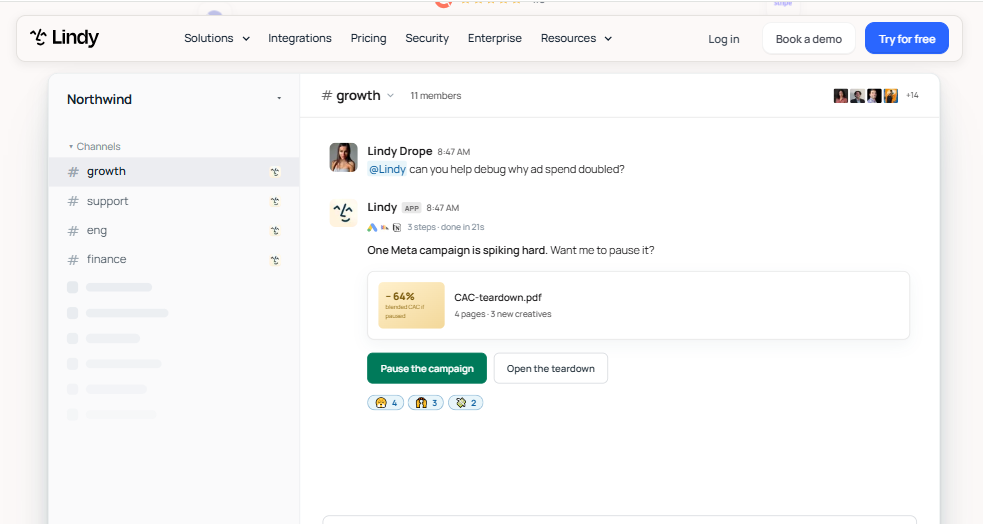
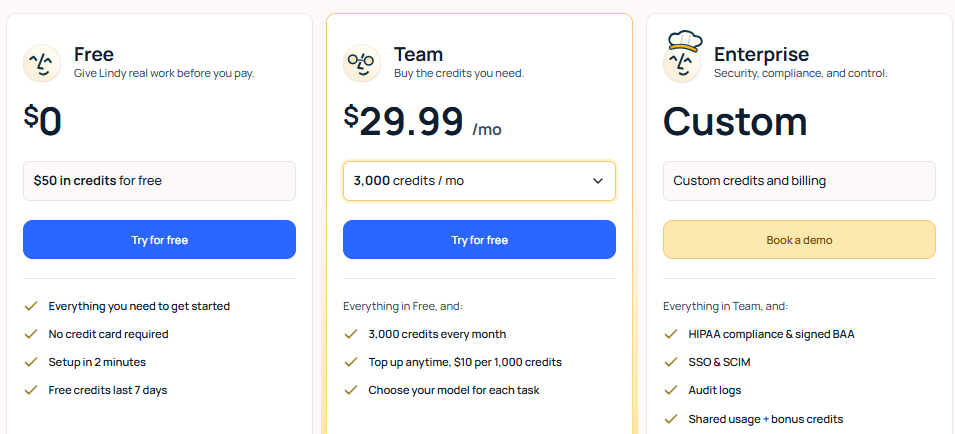
It is the most powerful and customizable option here, because you build the triage behavior rather than buy a fixed one. That is also the catch: it demands the most setup, natural-language delegation is less predictable than explicit rules, the credit pricing is hard to forecast, and there is no permanent free plan. Tiers run about $49.99, $99.99, and $199.99 a month. For most people this is more machine than the problem needs. For someone who wants to engineer their own inbox agent, nothing here goes as far.
Pricing
Spark, from Readdle, is an affordable, polished client for iOS, Mac, Android, and Windows that connects Gmail, Outlook, iCloud, and any IMAP account. Its Smart Inbox auto-groups mail into Personal, Newsletters, and Notifications, and its AI adds composing, rephrasing, summarizing, translating, and suggested replies, plus shared drafts and comments for teams.
The appeal is value and a genuinely usable free tier. The honest problem, which several recent reviews reach too, is that Spark does not really do importance-based triage. Smart Inbox sorts by category, which is tidy filtering rather than deciding what matters, and its priority filtering is the weakest part of the AI. Paid plans start around $5 a month on annual billing. Buy Spark for the client and the price, not for triage.
Pricing
Missive is for teams, not individuals. It replaces your client, connects Gmail, Outlook, iCloud, and IMAP plus SMS and social, and threads internal team chat right inside each email, invisible to the recipient, alongside real-time collaborative drafting, assignments, and shared team inboxes that clear for everyone once handled. Its AI rules can route and draft using Missive credits or your own OpenAI, Claude, or Gemini key.
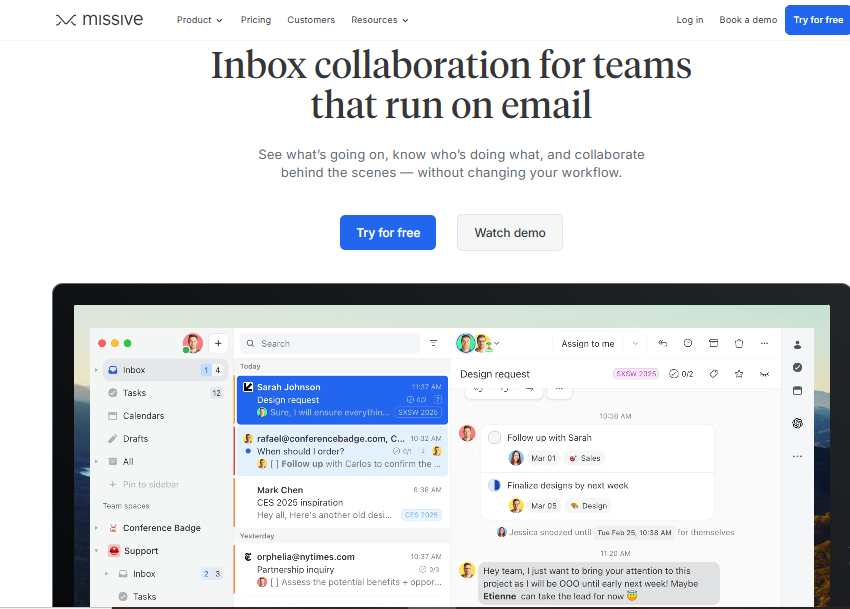
Collaboration depth stands out for teams that write nuanced replies together. The limits are fit and cost: it is built for teams, so it is wrong for a solo inbox, and the better AI is an add-on or needs your own API key. There is a free plan for three users, then $14, $24, and $36 a seat with AI billed separately. Excellent for a small team on a shared address, the wrong tool entirely for one person.
Pricing
On Gmail and unwilling to switch clients, start with Gemini in Gmail since it is already paid for on a Workspace plan, then add SaneBox for stronger sorting or Inbox Zero for follow-up tracking. If you want an AI-forward Gmail client and search heavily, Shortwave is the deepest, as long as Gmail-only suits you.
On Outlook or Microsoft 365, Copilot is the natural default once you have the license, with Fyxer as the alternative for voice-matched drafting and sorting on top. SaneBox and Inbox Zero support Outlook too. Shortwave does not, which is worth knowing before you fall for its feature list.
I would not start from the feature list. Start from your provider, because it cuts the field in half: Outlook rules out Shortwave, and anything outside Gmail and Outlook rules out Fyxer. Then name the real problem in one sentence. Clutter points to SaneBox or Inbox Zero, forgotten follow-ups to Inbox Zero's Reply Zero, slow writing to Fyxer or the native assistants.
Check what runs automatically versus on a click. SaneBox, Inbox Zero, Fyxer, and Lindy act on their own. Gemini, Copilot, Superhuman, and Shortwave mostly wait to be asked. Confirm the features you want sit under the plan you would actually buy, not the top tier. Then test on a week of ordinary, non-sensitive mail and count the mislabels, missed priorities, and unusable drafts. A tool that makes cleanup work is worse than none.
Giving a tool access to your mail has concrete failure modes, not abstract ones. It can read sensitive correspondence. It can mark an urgent message low or a cold pitch high. A clean summary can drop the one caveat that changed the meaning. A confident draft built on a wrong assumption reads fluently and is still wrong. An autonomous rule can archive something you needed. On training data, be specific rather than reassured: Google states personal Gmail content is not used to train its foundational Gemini models, but terms differ between consumer and business tiers and change often, so verify the scope for your account. The practical rule is to keep a human approval step for anything that sends, deletes, or archives in bulk until a tool has earned trust on low-stakes mail. Open-source, self-hostable options like Inbox Zero give you the most control over where your mail goes.
The most feature-rich tool is not automatically the best. A good assistant should remove inbox work, not add a layer of checking its mistakes.
For hands-off, proactive management without switching clients, I would shortlist SaneBox for clutter and Inbox Zero if follow-up tracking and transparency matter, with its open-source nature as the tiebreaker. For sorting plus voice-matched drafting inside Gmail or Outlook, Fyxer is the cleanest single answer. If you would rather stay in your existing provider and spend little, exhaust the native tools first: Gemini in Gmail and Copilot in Outlook are already paid for on many plans and good enough that a third-party tool only makes sense once you hit their limits. Superhuman and Shortwave are excellent for speed or search specifically. Lindy is for the builder. Spark is a lovely client I would not buy for triage, and Missive is a team tool, not a solo one.
What matters most is reliable prioritization, trustworthy summaries, useful follow-up reminders, low setup, fair pricing, and control over sensitive mail. No tool nails all six, so the right pick depends on which you need most. Whatever makes your shortlist, run it on a week of your own mail before committing.

A profile photo is often the first impression you make on a recruiter, a client, or a new connection. AI headshot genera...

Every call that rings out to voicemail is a customer who will probably try a competitor before you call back. That is th...

Why these two terms get mixed upPeople use “AI-generated” and “auto-generated” as if they are the same thing, and in cas...

You have a spreadsheet with hundreds or thousands of rows, and the answer you need is buried in it. Which product is pul...